Vaartalaap Application
Breaking Communication Barriers: Empowering Accessibility in Public Spaces
.png)
Vaartalaap is a mobile application designed to foster inclusive community engagement. It prioritizes the needs of diverse users, specifically Deaf individuals, foreign language speakers, and Deaf-Blind users. The app aims to create a platform where everyone can participate, addressing the distinct communication needs of these user groups.

Purpose
The purpose of the Vaartalaap app is to develop a community engagement platform that is inclusive. It is designed to address the distinct communication needs of specific user groups, namely Deaf individuals, foreign language speakers, and Deaf-Blind individuals.
Objectives
-
To create an inclusive community engagement platform.
-
To address the communication needs of Deaf individuals, foreign language speakers, and Deaf-Blind individuals.
-
To ensure accessibility, usability, and equitable participation for all users, regardless of their abilities or backgrounds.
Color Palette
Oxford Blue
(#14213D)
(#FCA311)
Orange Web
Orange Web- Dark
(#B67102)
Vampire Black
(#080808)
Ghost White
(#F8F8FF)
Fonts
Logo
Protest Riot Regular
Inter Bold

Inter Regular
Inter Semi Bold
Inter Medium
Inter Extra Black
Inter Black
Final Project Mockups

.png)

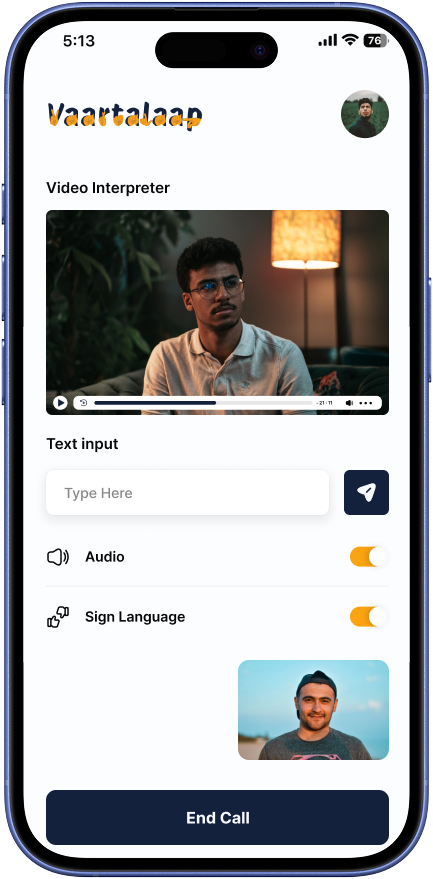
Welcome Screen
Change Language Screen
Welcome + Language/ Accessibility Setup Screen
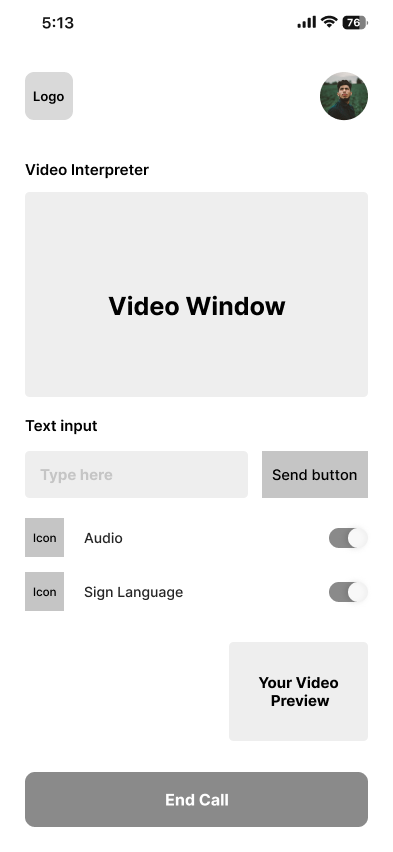
Video Interpreter Screen


Essential Services Screen
Essential Services - Transportation Screen


Essential Services - Emergency Screen
Emergency Access Screen
Emergency - Live Alert Feed Screen
Accessibility Settings Screen


Accessibility Options Screen
Accessibility Settings Screen
User Generated Content - My Contributions Screen


User Generated Content - Resource Sharing Screen
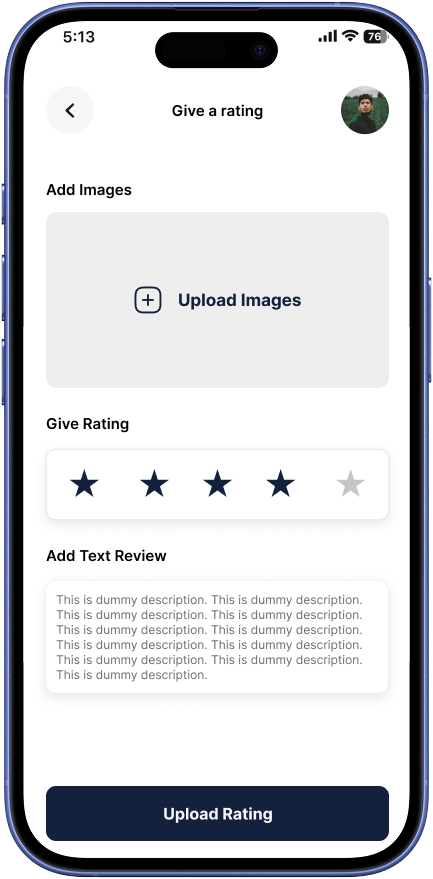
User Generated Content - Text Post composer Screen

User Generated Content - Upload Media Screen


User Generated Content - add a Rating Screen
Profile and Settings - Account Settings Screen
Profile and Settings - Notifications Screen
Profile and Settings- Saved Content Screen


Profile and Settings- Edit Profile Page Screen
Profile and Settings- Profile Overview Screen
Essential Services - Health Care Screen


HealthCare Details Screen
Community (Calendar) Screen
Community (Forums) Screen
Chat Interface Screen


Log In Screen
User Profile Page Screen
Essential Services - Government Screen


Event Detail Screen
Business Detail Screen
Accessible Route Map Screen
Location Based Content - Map Home Screen
Dual Features
"Vaartalaap" integrates features for both Deaf individuals and foreign language speakers within the same application to foster inclusive community engagement. The design recognizes that communication barriers can exclude various groups from fully participating in community life. By providing sign language support and multilingual tools in one platform, it aims to bridge these divides, enabling better access to information and services, and promoting interaction among diverse community members.
Deaf
Features
What Sets Us Apart
-
Focus on Visual Communication: The app emphasizes visual elements to cater to the needs of Deaf users who rely on sign language.
-
Sign Language Videos: Integration of sign language videos is crucial, potentially using standardized sign languages with regional variations, and offering adjustable playback speed, captions, and transcripts.
-
Accessible Text: The app provides clear and legible fonts with resizing options to accommodate users with varying degrees of visual impairment.
-
Visual Hierarchy: Design prioritizes visual arrangement to guide the user's eye to important information.
-
Assistive Technology Compatibility: The app is designed to be compatible with screen readers and other assistive technologies.


Welcome Screen
Deaf Role Selection
Home Dashboard Screen

Foreign Language Features
What Sets Us Apart
-
Multilingual Support: The app aims to deliver access to basic services and community information to users who speak different languages.
-
Clear Communication: The design focuses on simplifying complex information to make it accessible to users with varying literacy levels.
-
Neutral Framing: Information is presented neutrally and objectively to ensure clarity across different linguistic and cultural backgrounds.
-
Content Localization: The app would employ professional translation and localization services to provide content in various languages.


Welcome Screen
Foreign Language User Role Selection Screen
Home Dashboard Screen


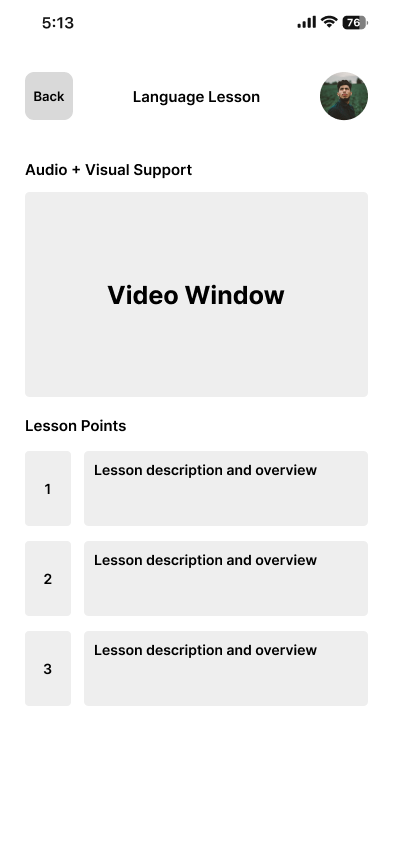
Language Lesson Screen
Learning Home Screen
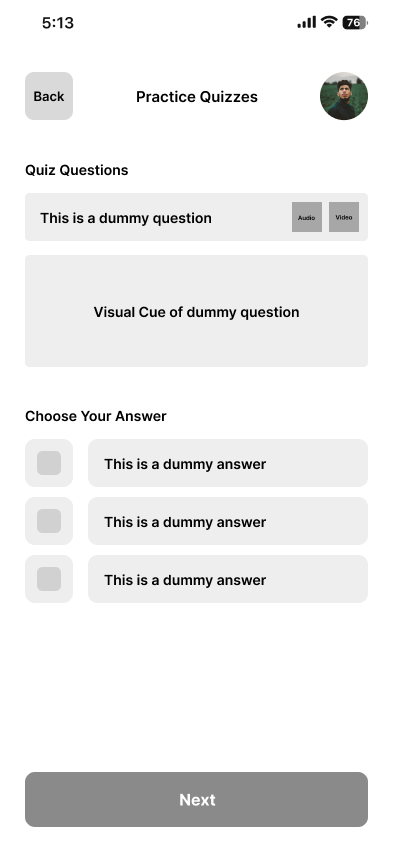
Quiz Practice Screen


Sign Language Tutorial Screen
Document Translation Screen
Interpreter on-demand Screen
Introduction to the Breaking Communication Barriers—Empowering Accessibility in Public Spaces
Overview of Accessibility: in Public Spaces
Public environments—such as parks, transportation hubs, libraries, and civic institutions—are central to urban connectivity, equity, and participation.
However, accessibility remains a persistent challenge.
In 2022, 54% of people with disabilities in Canada reported facing barriers in public spaces.
Among these, 53% identified barriers related to information and communication, while architectural hurdles were reported by 68%.
-
The prevalence is even greater among individuals with severe disabilities, reaching 73%.
-
Globally, roughly 15% of the world's population lives with some form of disability, many of whom frequently encounter inaccessible public information.
-
For foreign language speakers and migrants, representing around 13% of high-income country populations, missing or poorly translated public information often impedes access and full participation.
Communication Barriers-: Scope and Impact
Types of Barriers-
-
Auditory Barriers: Audio-only announcements in transit and public venues systematically exclude individuals who are deaf or do not speak the local language. 37% of adults with hearing loss report these as critical navigation obstacles.
-
Visual Barriers: Only 31% of U.S. municipalities surveyed in 2023 offered signage in more than one language or in accessible visual formats such as large print or symbols.
-
Organizational Barriers: 47% of public space managers in a 2023 study indicated the absence of mandates or policies for translation or communication accessibility.
-
Social Barriers: 60% of minoritized or foreign language public space users reported staff unpreparedness to assist with their needs; 44% experienced stigma or discomfort when seeking help.
Lived Experiences-
-
In EU workplace studies, over 70% of employees encountered misunderstandings stemming from unclear communication, a pattern mirrored across public venues.
-
Foreign language users are 22% more likely to be involved in safety incidents in transit settings due to lack of language accessibility.
-
68% of deaf individuals have missed key safety or scheduling announcements in public environments in the past year alone.
Multimodal and Inclusive : Communication- Evidence and Solutions
Universal Design Approach-
Universal design is founded on three pillars:
-
Multimodal Information: Delivering data through text, audio, visuals, and symbols to maximize usability for diverse audiences.
-
Language Inclusivity: Translation and plain-language summaries to reduce language-based exclusion.
-
Assistive Technology Adoption: Incorporation of real-time captioning, sign language interpretation, and translation applications.
Effective Case Studies-
-
Ava: A real-time transcription and translation app, used in more than 60 countries, resulted in a 30% rise in participation by deaf/hard-of-hearing students at universities and public events, as well as improved engagement for foreign language speakers.
-
Rogervoice: After deployment in French municipal call centers, Rogervoice cut lost calls among deaf and non-native users by 22% and improved overall satisfaction.
-
Talk Different: In Milan hospitals and transit centers, this icon-based communication system led to a 15% reduction in failed wayfinding among non-Italian speakers.
-
Proloquo2Go: 78% of immigrant users reported feeling “significantly more confident” navigating new environments using its multilingual, symbol-based communication mode.
Socioeconomic, Policy, : and Organizational Context
-
Vulnerability to accessibility barriers is higher for women, older adults, 2SLGBTQ+ persons, residents of large urban centers, and those with limited socioeconomic resources.
-
Accessibility gaps directly affect city economies. In the U.S. alone, up to $1 trillion in economic potential may be lost annually due to inadequate disability and communication accommodations.
-
Cities that invest in accessible transit and communication (e.g., Seattle) have reported a 23% increase in ridership among disabled users, reinforcing the wider societal value of accessibility investments.
User Personas- Realistic : Journeys
Saleem: Deaf Urban Commuter-
-
Profile: 28 years old, uses sign language and written English.
-
Journey: Navigates train stations and purchases tickets with a mobile app that transcribes announcements in real-time and provides sign language video for complex messages. The app’s text-based chat facilitates staff communication.
-
Outcome: Reduced missed information, increased self-reliance, and lower travel anxiety.
Ana: Foreign Language Speaker-
-
Profile: 32 years old, recent immigrant from Brazil, speaks Portuguese.
-
Journey: Uses a single app to translate signage, announcements, and communicate with staff. The system’s visual symbols streamline navigation in complex spaces.
-
Outcome: Greater independence, confidence, and ability to access city services without assistance.
Both personas benefit from a unified digital platform offering real-time transcription, translation, and visual communications.
Data Insights & Current : Trends
-
Big data mobility studies indicate that proximity to public services does not guarantee usage: 54% of marginalized users still cite lack of accessible information as the chief participation barrier.
-
Qualitative research highlights that “not feeling in place” due to language or cultural gaps is a leading cause for public disengagement in European cities.
Recommendations and : Opportunities
Adoption of Multimodal Communication Platforms-
-
Real-time speech-to-text and translation resulted in a 28% rise in overall user satisfaction.
-
Visual symbol libraries boosted successful navigation for non-literate and non-native users by 32%.
-
Customizable user profiles (language, accessibility settings) correlated with a 45% gain in user autonomy and comfort.
Policy & Training-
-
Mandatory accessibility standards have contributed to a 19% improvement in user-reported accessibility.
-
Comprehensive staff training raises positive feedback by 14% among marginalized visitors.
Conclusion :
Breaking communication barriers is a multidimensional challenge that demands accessible design, policy commitment, and community partnership. Global evidence shows that investing in multimodal, inclusive communication in public spaces leads to stronger participation, equity, and economic growth for all.
Research
Inclusive Design and : Community Engagement
-
It emphasizes that design plays a crucial role in promoting inclusivity in digital platforms.
-
It highlights that user-centered design can foster crucial characteristics like brand equity, clear communication, emotional connection, and universal access.
-
Secondary research in this area would involve exploring studies and theories on:
-
The social impact of technology.
-
The role of design in creating a sense of community.
-
Best practices for designing inclusive online environments.
-
The importance of ethical considerations in technology development (data privacy, security, accessibility).
-
Accessibility and User : Interface (UI) Design
-
It stresses the importance of usability and UI factors, especially for Deaf individuals and foreign-language speaking persons.
-
It references the Web Content Accessibility Guidelines (WCAG) as a key standard for accessible design.
-
Secondary research in this area would delve into:
-
WCAG guidelines and their practical application in mobile app design.
-
Best practices for designing for various disabilities (visual, auditory, motor, cognitive).
-
The principles of accessible typography, color contrast, navigation, and input methods.
-
Studies on the effectiveness of different assistive technologies.
-
Communication Theory :
-
It draws on communication theory to inform the design of "Vaartalaap," focusing on how information is delivered and perceived.
-
It discusses concepts like framing, agenda-setting, and the Elaboration Likelihood Model (ELM).
-
Secondary research in this area would explore:
-
How communication theories can be applied to digital interface design.
-
Strategies for presenting information clearly and effectively to diverse audiences.
-
The role of persuasive design in user engagement.
-
The impact of cultural factors on communication.
-
Human-Computer : Interaction (HCI)
-
It emphasizes a user-centered approach to design, drawing on HCI principles.
-
It highlights the importance of understanding user needs, preferences, and contexts of use.
-
Secondary research in HCI would cover:
-
User research methodologies.
-
Usability testing techniques.
-
Iterative design processes.
-
Accessibility evaluation methods.
-
Theories of user behavior and cognition.
-
Specific User Group Needs:
-
Deaf Individuals:
-
Sign language linguistics and its implications for digital communication.
-
The cultural context of the Deaf community.
-
The use of technology by Deaf individuals.
-
Challenges and best practices in designing for sign language communication.
-
The paper emphasizes the need for visual communication, sign language videos, and accessible text.
-
-
Foreign Language Speakers:
-
The challenges of cross-cultural communication.
-
The role of technology in language learning and translation.
-
Best practices for designing multilingual interfaces.
-
The importance of localization and cultural sensitivity.
-
The paper highlights the need for foreign language support and clear communication.
-
Technology and Trends :
-
Vaartalaap also touches on emerging technologies and trends relevant to accessibility, such as AI-powered sign language translation and augmented reality.
-
Secondary research in this area would involve:
-
Investigating the latest advancements in assistive technology.
-
Exploring the potential of AI and other technologies to enhance accessibility and communication.
-
Analyzing the ethical implications of new technologies.
-
Charts and Flow Charts
Information Architecture

Navigation Flow

User Journey Mapping


Task Flows
Task Flow for a Deaf user finds a Local Deaf Community Event
Task Flow for a Foreign Language Speaker Translates and Announcement


Task Flow for a Deaf- Blind user Messages a friend

Pain Point Analysis
User Group: Deaf Individuals
User Group: Foreign Language Speakers


Cross-Group/Universal

Wireframes
Welcome Screen

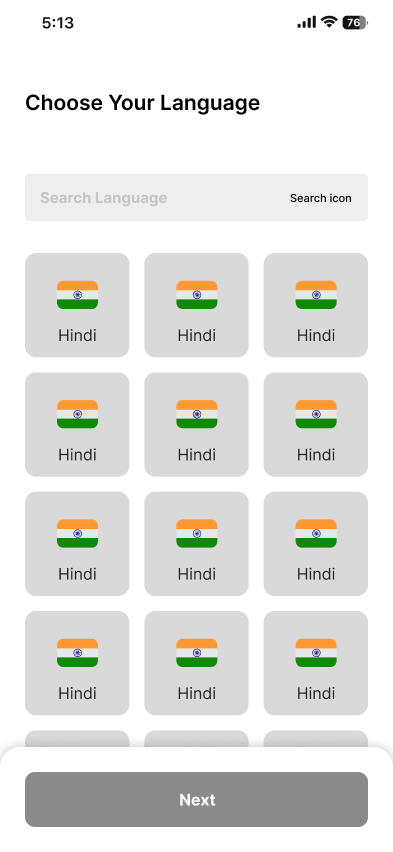
Language Selection Setup

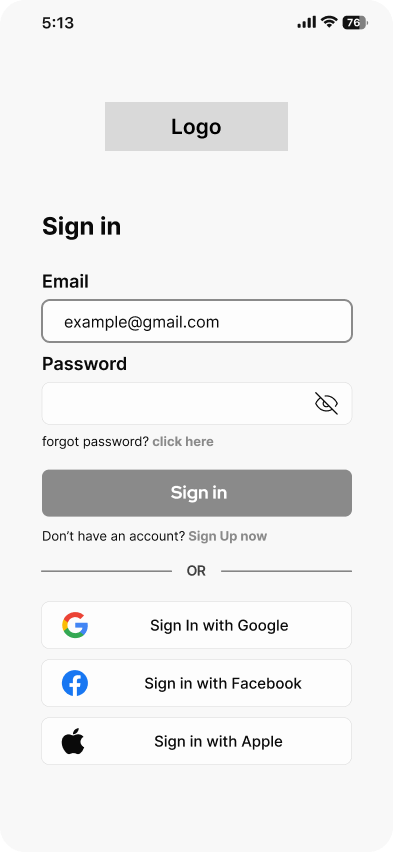
Registered Login And User Page

Accessibility Settings


Essential Services

Emergency Services and Access


Role Selection


Healthcare Services


Community (Calender and Forum)
.png)
.png)
Essential Services- Transportation


Essential Services- Government

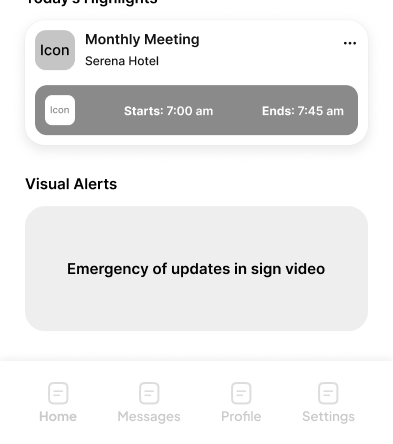
Home Dashboard




Location and Map Details


Learning (Home) and Details


Chat Interface

Event Details

Business Event Details

User Generated Content and Rating

Profile and Settings


Interpreter


Role :
-
User Interface Design
-
Mobile Application Design
-
User Experience Design
-
User Research
-
Logo Design
Core Design Niche :
Software :
UI/ UX Design
-
Adobe After Effects
-
Adobe Fresco
-
Adobe Illustrator